Haircut simulator: try the cut before the chair
A haircut simulator for your own face. Pick one of 16 cuts and a colour, add a selfie, and see the new hair with everything else left exactly as it was. For men and women, in your browser.
Drop an image here
or paste it, or pick a file
Use your own photo, or one of someone who has agreed to it. The result is a preview of a style, not a promise of how your hair will cut or colour. No minors, and no public figures. The full rules are in the terms.
No image loaded.
One face, four haircuts
Real runs of this tool, not mock-ups. The face is one of our own AI-generated portraits rather than a photo of a real person, and nothing was retouched afterwards. Look at what stays the same: the face, the jacket, the necklace, the backdrop, even the date stamp.
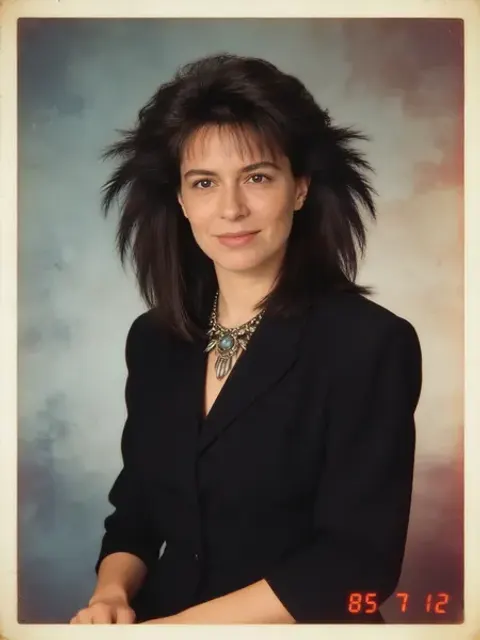
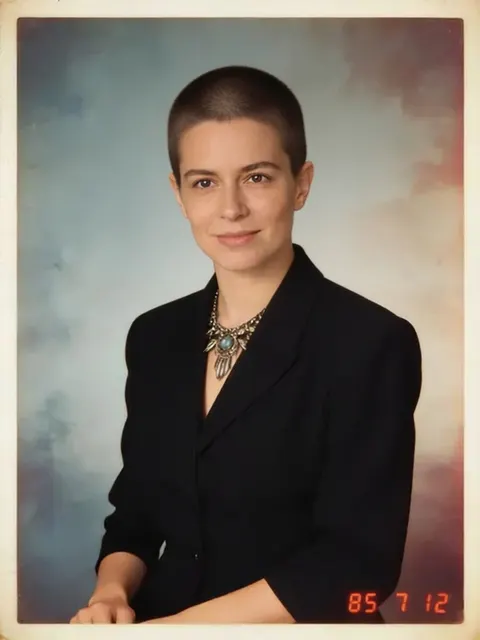
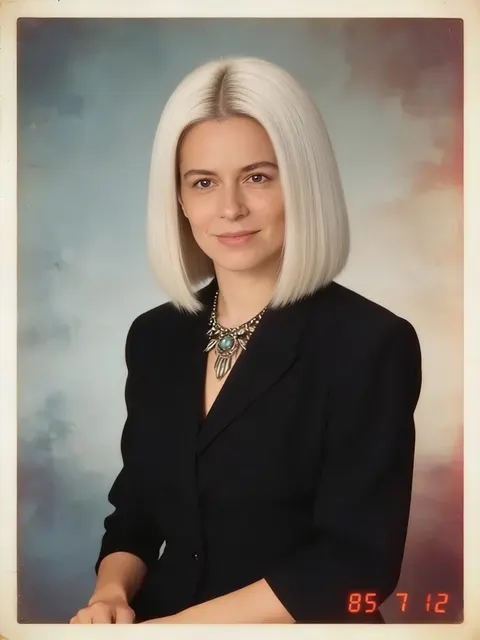
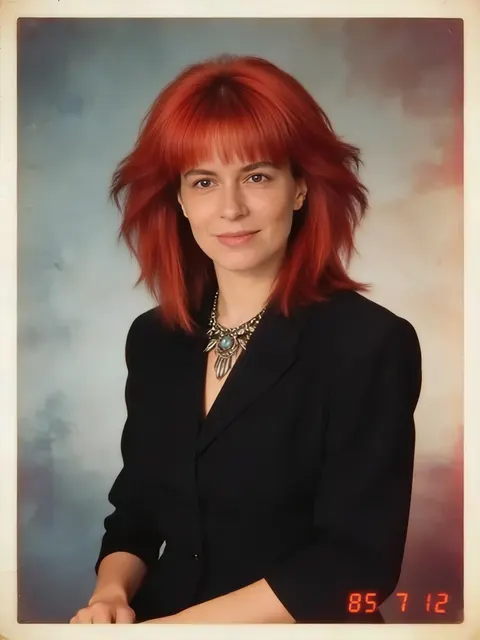
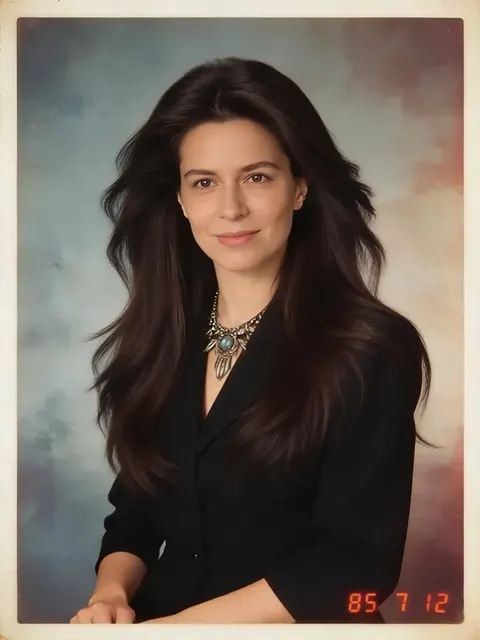
One honest miss from testing: the first platinum bob came back zoomed in, with the face slightly changed. The instruction now tells the model never to crop or reframe, and the bob above is the run after that change. If a result does drift, run it again: each run is a fresh attempt.
How to try a haircut on your photo
- Step 1
Pick a haircut
16 cuts in three lengths, from a buzz cut and a skin fade to a bob, a shag, box braids and long layers.
- Step 2
Pick a colour, or keep yours
Keep your own colour, or try one of 7: black, brown, blonde, platinum, copper, silver, pastel pink.
- Step 3
Add a selfie
Face the camera, hair visible, in decent light. A photo where your hair is tied back or under a hat gives the model less to work with.
- Step 4
See it, then download
About 16 seconds later you get your photo back with the new hair and everything else left as it was. $0.10 a photo.
Every cut, by length
| Cut | Length | What you get |
|---|---|---|
| Buzz cut | short | A very short, even buzz cut, clipped close all over |
| Crew cut | short | A classic crew cut: short tapered sides and back, slightly longer on top |
| Textured crop | short | A textured French crop with a short blunt fringe and faded sides |
| Fade with quiff | short | A skin fade on the sides with a voluminous swept-up quiff on top |
| Pixie cut | short | A soft, textured pixie cut with short layers and a side-swept fringe |
| Pompadour | medium | A polished pompadour, combed up and back with short sides |
| Curtain hair | medium | A 90s-style curtain cut, middle parting, fringe falling to the cheekbones |
| Bob | medium | A sleek chin-length bob with a clean straight edge |
| Lob | medium | A long bob that just grazes the shoulders, softly textured |
| Shag | medium | A choppy layered shag with curtain bangs and lots of texture |
| Curly top | medium | Defined natural curls on top with a short tapered fade on the sides |
| Long layers | long | Long, flowing layered hair past the shoulders |
| Long with bangs | long | Long straight hair with soft curtain bangs |
| Man bun | long | Long hair pulled back into a loose bun at the crown |
| Box braids | long | Long box braids |
| Afro | long | A full, rounded natural afro |
Under the hood, each run is one instruction to an image-editing model, ByteDance's Seedream 4.5: keep this person's face, skin and identity, change only the hair to this cut and colour, and keep the pose, clothes, background, light and framing exactly as they are. The cut and colour come from the list, so the instruction is the same tested wording every time.
A note on colour before you book
A preview makes every colour look one click away. Real hair doesn't work like that. The American Academy of Dermatology's colouring advice is to choose a dye within three shades of your natural colour. Dark hair to platinum is a far bigger jump than that. Use the preview to decide whether you like the colour, then ask a colourist how to get there safely.
Dyeing at home? The FDA's hair dye safety Q&A recommends a skin patch test every time, before you dye.
Want more than the hair changed? AI image to image takes any instruction you write, and the AI headshot generator turns the new look into a profile photo.
Frequently asked questions
Is the haircut simulator free?
No. Each photo costs 1 credit ($0.10), because every run sends your photo to an AI model that we pay for. There's no subscription required: you buy credits when you need them and they never expire.
Can I try on hairstyles with my own picture?
Yes, that's the whole tool. Upload a selfie, pick a cut and a colour, and the model changes only the hair. Your face, expression, clothes and background are told to stay exactly as they were.
Is there a haircut simulator for men?
Yes. The short and medium cuts include the men's staples: Buzz cut, Crew cut, Textured crop, Fade with quiff, Pompadour, Curly top, Man bun. Nothing is locked to one gender, so pick whatever you'd actually ask a barber for.
Do I need an app to try on haircuts?
No. It's a web page, so it works in the browser on your phone or computer. On a phone you can take the selfie straight from the upload button.
Can I use it without logging in?
No. You need a Leaxor account, because each photo is a paid run and the account is what the credits sit in. The account itself is free to make.
How accurate is an AI haircut simulator?
It's a good preview of the shape and the colour, not a promise. The model draws hair that suits the cut you asked for; your own hair's thickness, curl and cowlicks decide how a real cut sits. Take the picture to your stylist as a reference, not a contract.
Can I try a new hair colour too?
Yes. Pick one of 7 colours with any cut, or keep your own. Going much lighter in real life is a bigger job than a preview makes it look, so read the note on colour below before booking platinum.
Is my photo stored?
Your photo is sent to the AI provider for that one run and isn't kept by us afterwards: no copy of the photo or the result. What is recorded is the run itself (which tool, whether it worked, the account) so the credits add up.
Other image tools
Love the new look? Make it move.
Any photo on Leaxor can become a short video clip on the same account, including the one with the haircut you haven't had yet.
Turn a photo into video