AI image to image
Upload a picture, write what should change, and get the edited picture back with everything else left where it was. Make it night, make it anime, change the jacket. 2 credits ($0.20) an edit.
Drop an image here
or paste it, or pick a file
Only edit images you have the right to use. Edits of a real person need their agreement. Nothing sexual, no minors, and nothing passed off as a real, unedited photograph. The full rules are in the terms.
No image loaded.
Runs on Seedream 4.5. Up to 600 characters of instruction. Your image goes to our processing provider, fal, for that one job and is not kept by us afterwards.
One picture, two sentences
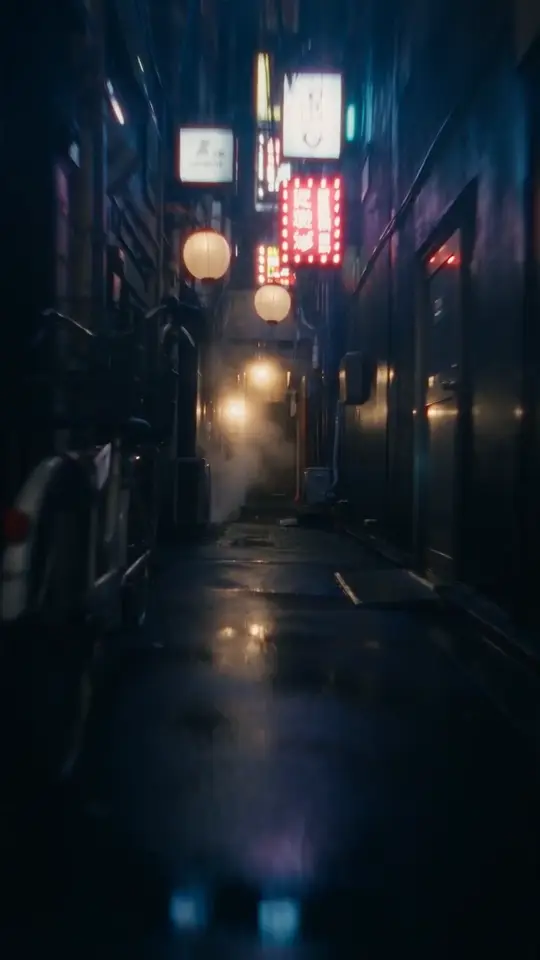
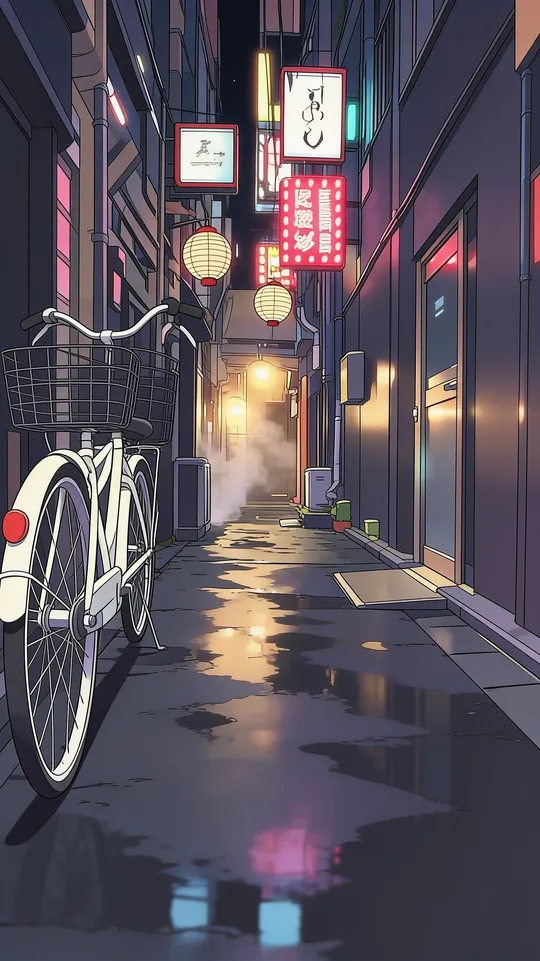
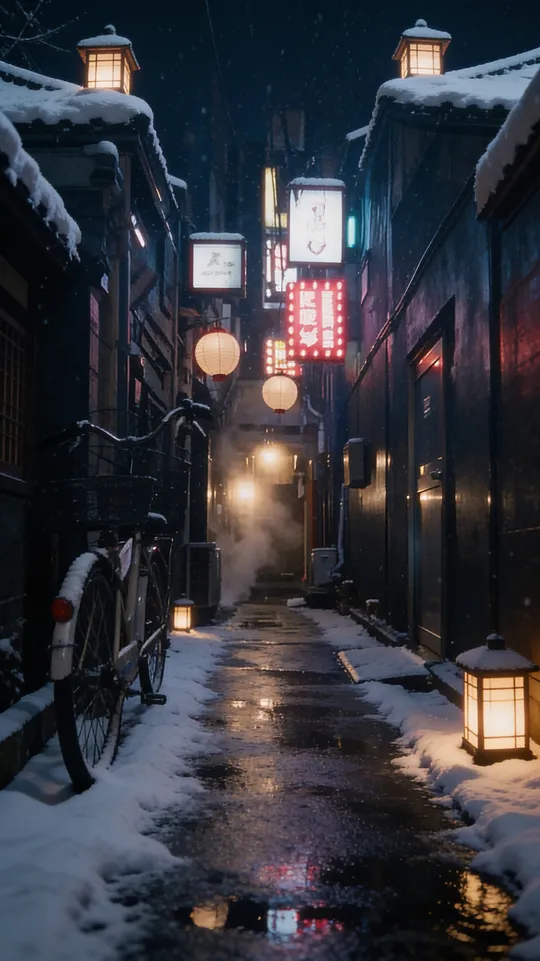
Two unedited runs on 21 October 2026, about 15 seconds each. The anime edit kept the scene exactly: the bicycle, the lanterns, the signs, the puddles. The winter edit got the snow right but also added stone lanterns that weren't in the original, which is the kind of extra a regenerated image can bring. The original is a frame from a Seedance 2.5 clip on our homepage.
Six edits, and a sentence for each
Image to image is good at changes you can say in one breath. These are the kinds of instruction that hold up, with wording you can copy. They're examples of phrasing, not renders we're showing off.
| Edit | Say | What changes |
|---|---|---|
| Restyle | “Turn it into an anime illustration” | Same scene, a different medium: anime, watercolour, oil, 3D. |
| Relight | “Make it golden hour, low sun from the left” | Time of day and light direction, without moving anything. |
| Change the season | “Make it winter, with snow on the ground” | Weather and foliage follow the instruction. |
| Swap the background | “Put them in front of a plain grey studio wall” | The subject stays; the place changes. |
| Change one thing | “Make the jacket red leather” | Clothes, colours, a single object. |
| Add something | “Add a cup of coffee on the table” | Name where it goes, or the model picks for you. |
For a precise removal, the object remover works better: you paint the part that goes, and nothing else is redrawn. For fixes like restoring or colourising an old photo, the AI photo editor has a tool per job.
Say the change, then what stays
- Name the change and where.“Make the sky a sunset” beats “make it better”.
- Protect what matters.If a face or a logo is at risk, say “keep her expression” or “keep the label readable”.
- One or two changes per run. Five at once is where instructions start getting dropped.
ByteDance's Seedream 4.5 page describes what the model was built to edit.
One model here, more in the dashboard
This page runs one model so it stays simple. In the dashboard, the same account edits with a reference photo on any of these, priced with one photo attached:
| Model | Reference photos | Per image |
|---|---|---|
| Flux 2 Pro · Black Forest Labs | Up to 4 | $0.20 |
| Nano Banana Pro · Google | Up to 4 | $0.30 |
| Seedream 4.5 · ByteDance | Up to 4 | $0.20 |
| Seedream 5.0 Pro · ByteDance | Up to 4 | $0.20 |
| Nano Banana 2 · Google | Up to 4 | $0.20 |
Before you edit
Starting from nothing instead? The AI image generator makes pictures from a prompt.
- What is image to image AI?
- An AI edit that starts from a picture you already have instead of a blank page. You upload the image, write what should change, and the model returns a new version with that change made and the rest kept. Text to image makes a picture from words alone; image to image keeps your composition.
- Is this AI image to image tool free?
- No. Each edit is 2 credits ($0.20), taken when it's made and refunded if it fails. It needs an account, and there's no free tier. Credits never expire and no subscription is required.
- Will it keep my face the same?
- The tool tells the model to keep people's faces and likeness and change only what you asked for. It usually holds, but every edit is regenerated rather than painted over, so small details can shift. If a face matters, ask for one change at a time.
- How do I write a good instruction?
- Name the change and where it happens: "make the sky a sunset" beats "make it nicer". Say what should stay if it's at risk ("keep her expression"). One or two changes per run is more reliable than five at once.
- Can it remove something from a photo?
- It can try ("remove the person on the left"), but for a clean removal the object remover is better: you paint over exactly what should go, and nothing else in the picture is regenerated.
- Can I turn a photo into anime?
- Yes. Upload the photo and ask for an anime illustration, or pick that starter. For anime made from scratch, or anime video, the AI anime generator page covers both.
- Which AI model does this use?
- Seedream 4.5, ByteDance's image-editing model. It's the same model behind the photo colorizer and the headshot generator here. In the dashboard you can edit with a reference photo on 5 models instead.
- Is my image stored?
- It goes to our processing provider, fal, for that one job, and we don't keep it afterwards. We record that the edit happened and what it cost, against your account, but not the image. What fal keeps is covered by their own privacy policy.
Want it to move?
Any edited image can become a video clip in the dashboard, and the same account generates images on ten models. Credits never expire.