Turn multiple photos into a 360° product spin
Shoot the product as it turns, drop the photos in, and get a spin shoppers can drag around, plus a looping video for your listing or your feed. Made in your browser.
Only got one photo? The AI 360° video circles the product from it, from 30 credits.
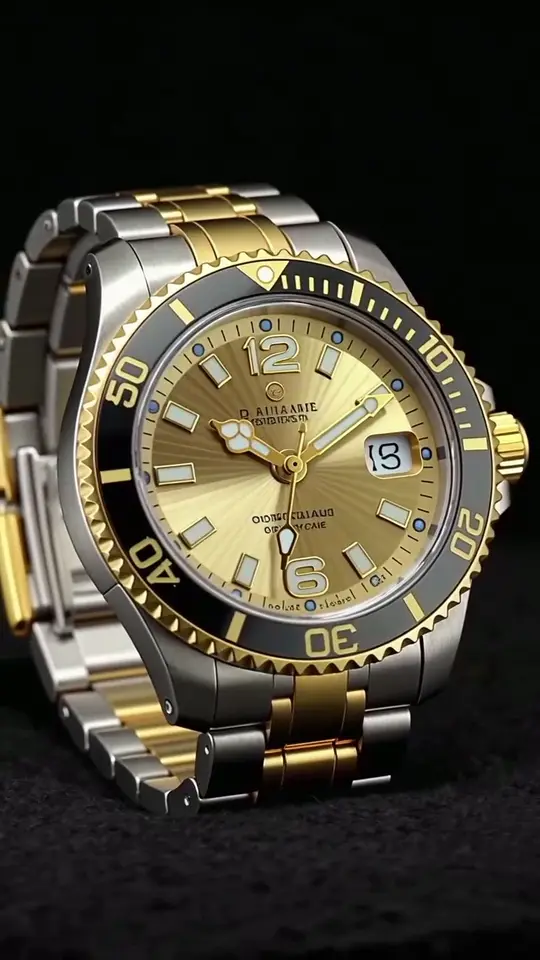 1 photo in
1 · Your product photo
One clear, front-on shot with the whole product in frame. A plain background works best.
2 · The shot
3 · The video
Add a note for the model (optional)
If a render fails, the credits come back.
Add a photo to start.
- The camera circles the product; the photo sets the framing.
- The sides the photo can't show are drawn by the model.
- Every render is saved to your library.
1 · Your photos
Add 4 to 72 photos shot around the product. Straight from the camera, they're usually already in order.
Drop an image here
Drop up to 72 at once, paste, or pick files
No image loaded.
Your images never leave your browser — read and turned into a spin on your own device, and nothing is uploaded to us or anyone else.
- Step 1ShootPhotos at even steps as the product turns.
- Step 2Add themDrop the whole set in at once.
- Step 3SpinPreview, drag to turn, download the loop.
From one photo to a 360° product video
No turntable, no tripod, no thirty-six photos. The AI tab takes the one good shot you already have and moves a camera around it.
- Step 1
Add one photo
A clear, front-on shot with the whole product in frame. Drop it in, paste it, or pick it from your phone.
- Step 2
Set the shot
A full turn, half or two. Which way, how high, steady or a close pass. Then the length and the quality.
- Step 3
Get a 360° video
The camera circles the product and lands back where it started, so the MP4 loops. It's saved to your library too.
Everything you can set
Rotation
Full 360° · Half turn · 180° · Two full turns
How far the camera travels. A full turn ends where it started, so the video loops.
Direction
Orbit right · Orbit left
Which way the camera sets off around the product.
Camera height
Eye level · Slightly above · High angle
Eye level shows the sides. Higher shows the top of the product as it turns.
Camera move
Steady orbit · Close pass
A steady orbit keeps the same distance. Close pass drifts in halfway round, then back out.
Length
4s · 6s · 8s · 10s
The same turn spread over more seconds, so a longer video is a slower, calmer spin.
Quality
480p · 768p · 1080p
480p for a quick look, 768p for most product pages, 1080p when it's the hero of the page.
Shape
As shot · 1:1 · 9:16 · 16:9
Padded in the photo's own backdrop colour to fit a feed or a banner. Nothing gets cropped.
What a 360° video costs
| Quality | 4s | 6s | 8s | 10s |
|---|---|---|---|---|
| 480p | 30 credits · $0.30 | 50 credits · $0.50 | 60 credits · $0.60 | 70 credits · $0.70 |
| 768p | 50 credits · $0.50 | 70 credits · $0.70 | 90 credits · $0.90 | 110 credits · $1.10 |
| 1080p | 100 credits · $1.00 | 130 credits · $1.30 | 170 credits · $1.70 | 210 credits · $2.10 |
Credits are bought as you need them, with no subscription required, and a failed render gives them back. The spin from your own photos costs nothing.
How to shoot photos for a 360 spin
The tool can only play back what you shot, so a smooth spin is decided at the camera.
- Step 1
Fix the camera, turn the product
Put the phone on a stand or a stack of books and rotate the object instead of walking around it. A lazy Susan or a turntable makes this easy.
- Step 2
Take the same step every time
Mark the turntable every 10° for 36 photos, or every 15° for 24. Even steps are what make the spin turn smoothly instead of lurching.
- Step 3
Lock the exposure
Tap and hold to lock focus and exposure on most phones, so the brightness doesn't flicker from frame to frame as the product turns.
- Step 4
Plain background, same light
A white sweep and one soft light source. Anything that changes between frames, like a shadow moving across the wall, shows up as flicker.
How many photos a 360 spin needs
Fewer than you'd think, but more than four. A single-row spin, the kind that turns left and right, is often made of 36 images, each 10 degrees apart. That's the standard because at 10° steps the eye reads a smooth turn rather than a series of jumps.
- 12 photos · every 30° · a rough turn, fine for a quick social clip
- 24 photos · every 15° · smooth enough for most product pages
- 36 photos · every 10° · the common standard, and what most shoppers expect
- 72 photos · every 5° · very fine steps; the most this tool takes, and the biggest video
Count before you shoot. Thirty-six photos means thirty-six turns of the turntable, so a strip of tape around its edge marked every 10° saves a lot of guessing. Keep the count the same if you reshoot, so an updated spin plays at the same speed.
Single-row or multi-row? A multi-row spin, also called a 3D spin, adds rows shot from higher and lower angles so shoppers can tilt the product up and down as well. It takes much longer to shoot and suits products worth seeing from above or underneath, like shoes or a watch face. This tool plays single-row spins. For a multi-row shoot, make each row its own spin.
Where a 360 product spin earns its place
Mostly on shop pages. A spin gives shoppers a more realistic impression of a product than a row of still photos, and interactive spins have been linked to higher conversions and fewer returns. Treat that as a direction rather than a promise: it matters most where the back and sides of a product are a reason to buy or not.
- Your own product page. Put the looping video next to the photos, or use it as the first image.
- Marketplace listings. Many accept a short product video, and a spin is the easiest one to make.
- Social posts and ads. A turning product holds attention better than a still, and it needs no voiceover.
Where AI fits in a 360 spin, and where it doesn't
A spin from multiple images needs no AI at all. Every frame is a real photo, and turning the product is just stepping through them. That is exactly what you want on a product page, because a shopper spinning the product is checking what it really looks like from the back.
AI spins do exist, and one of them is Google's. US merchants on Google Merchant Center can upload at least five high-resolution photos of a product, from the front, back, left, right and top, and Google's AI will generate a 360 or 180-degree spin to show on Google Search, labelled "generated by Google". It starts from your real photos and says plainly that it's generated, which is the honest way to do it. It only appears on Google, though. The spin you make here goes anywhere you can put a video.
AI earns its place around the spin, not inside it. Clean up each frame first with the background remover for a pure white sweep, or trim them to the same framing with the image cropper. Want a wide shot of a room or a view instead of an object? That's the panorama stitcher.
With only one photo, a video model can animate a slow turn from it. Leaxor's AI video generatorcan start a clip from an image. Treat the result as an ad, not as proof: the sides you never photographed are the model's guess.
That is what the AI 360° video at the top of this page does, built for exactly this one shot: the camera orbits the product from your photo and comes back to where it started, so it loops.
Frequently asked questions
How do I make a 360 spin from multiple images?
Take photos of the product at even steps as it turns, add them here in order, and press Preview. You get a spin you can drag to turn, and Download saves it as a looping video. Photos straight from a camera usually arrive in the right order already.
Is this an AI 360 spin generator?
Partly. The spin from your photos isn't. It plays back the angles you photographed, so every frame is real. The AI 360° video is: it circles a product from a single photo and draws the sides that photo can't show. AI spin generators do exist: Google Merchant Center can build a 360 or 180-degree spin from five or more product photos for US merchants, labelled "generated by Google". For a spin on your own site or listing, real frames are the safer choice, because an invented angle can get a logo, a seam or a button wrong.
Can Google make a 360 spin from my product photos?
If you're a US merchant on Google Merchant Center, yes. Upload at least five high-resolution images showing the front, back, left, right and top, and Google can generate a 360 or 180-degree spin that shows on Google Search, labelled "generated by Google". It appears on Google only; for your own store or a marketplace listing, make the spin here.
How many photos do I need for a 360 spin?
At least 4 for a rough turn, 24 to 36 for a smooth one, and up to 72 for very fine steps. More photos make a smoother spin but a bigger video.
What format is the download?
MP4 where your browser can record it, otherwise WebM. Both loop cleanly on product pages and social posts. The video is capped at 1080 pixels on the long side.
Are my photos uploaded?
Not for the spin from your photos. The spin and the video are both made in your browser on your own device. Nothing is sent to us or anyone else. The AI 360° video is different: its one photo is sent to the video model to make the video, and the result is saved to your Leaxor library.
I only have one photo. Can I still get a spin?
Yes, with the AI 360° video: add the photo and the camera circles the product from it. From the spin made of your photos? Not a real one. This tool plays back angles you actually photographed. With a single image, an AI video model can animate a slow turn, and Leaxor's video tools can start a clip from an image you provide, but the sides it shows are the model's guess.
How does the AI 360° video work?
You add one photo of the product and pick how the camera should move. Leaxor runs it on MiniMax H3 Max with a camera path built from your choices, so the camera travels a real orbit around the product rather than the product just wobbling in place. The far side is drawn by the model from what the photo shows.
How much does an AI 360° video cost?
From 30 credits ($0.30), depending on length and quality; a 6-second video at 768p is 70 credits ($0.70). Credits are bought as you need them, with no subscription required. If a render fails, the credits come back. The spin from your own photos is free.
What makes a good photo for a 360° video?
The whole product in frame with a little space around it, shot straight on, on a plain background, in even light. The model can only invent what it can't see, so a photo that shows a corner of the side as well as the front gives it more to go on.
How long does it take?
Usually under a minute. The example on this page took 19 seconds at 768p. You can leave the page while it renders; the video lands in your library.
Other image tools
Spin done. Now the rest of the listing.
Leaxor generates lifestyle scenes, banners and thumbnails from a prompt across forty-siximage models, and turns a topic into a finished short video.
See the image generator