First and last frame AI video.
Pick both ends.
By Yuvraj SinghFounder, LeaxorUpdated
First and last frame AI video means giving a model two stills, where the shot starts and where it lands, and letting it invent the motion between them. Leaxor, an AI image and video generator, calls the mode Frames to Video and runs it on 13 models, from $0.20 a clip.
Two stills, and the five seconds between them
Both frames came from our AI image generator, and the clip came from Kling v3 Pro. The trick is in how the second frame was made: not from scratch, but as an edit of the first, which is why the soil and the camera don't move.
The prompt for the clip was one line: “Time-lapse: the seedling grows taller, leaves unfold, and a sunflower opens into full bloom” It cost 70 credits ($0.70) at today's rate.
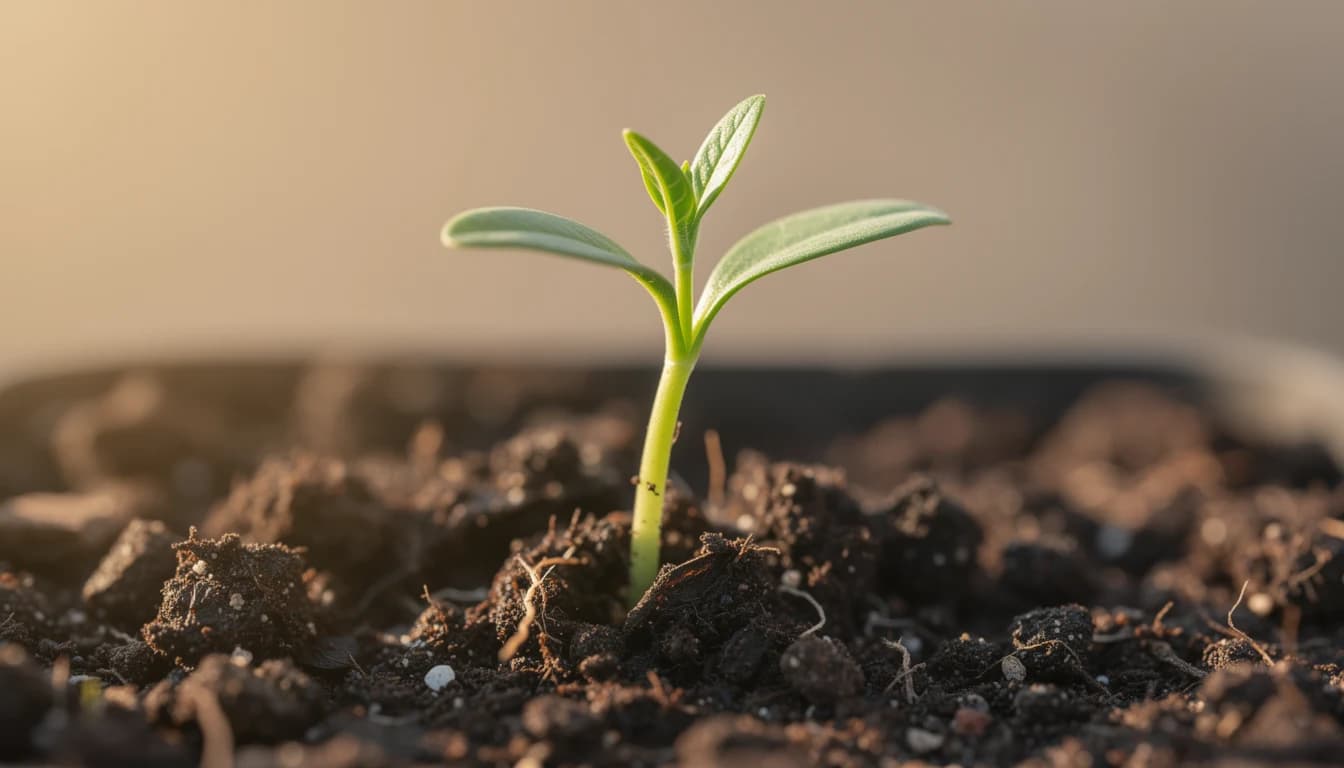
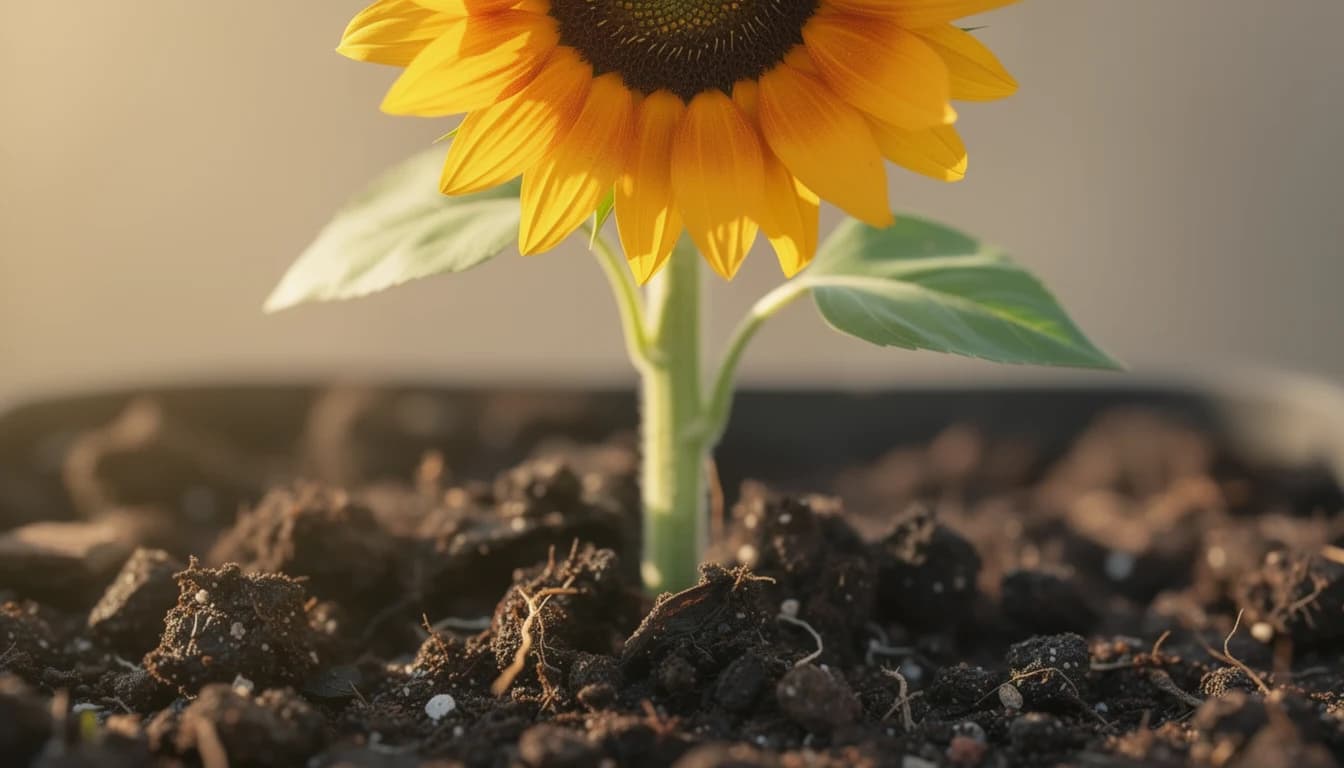
Frames to video, start and end frame, keyframes: one feature
If you've been comparing tools, this is why it's confusing. Everyone ships the same idea under a different name, so search for the job and not the label.
| Product | What it calls this |
|---|---|
| Leaxor | Frames to Video |
| Google Flow | Frames to Video |
| Veo 3.1 API | First and last frames |
| Runway | Keyframes, in Animate Frames |
| Grok Imagine API | Image plus last_frame |
13 first and last frame AI video generators in one place
Cheapest clip first. Kling 4.0 runs the longest, at 30 seconds a shot. Kling O1 is the one built for this job, and it starts at $0.40.
On the Kling and MiniMax models, your images decide the shape of the clip, so crop them first.
| Model | From | Longest clip | Top resolution | Sound option |
|---|---|---|---|---|
| Veo 3.1 Lite | $0.20 (4s) | 8s | 1080p | Yes |
| MiniMax H3 | $0.30 (5s) | 15s | 4K | No |
| Flux 3 Draft | $0.40 (5s) | 20s | Fixed | Yes |
| Kling O1 | $0.40 (3s) | 10s | Fixed | No |
| Kling v3 | $0.40 (3s) | 15s | Fixed | Yes |
| Kling 2.6 Pro | $0.50 (5s) | 10s | Fixed | Yes |
| Kling O1 Pro | $0.50 (3s) | 10s | Fixed | No |
| Kling O3 Pro | $0.50 (3s) | 15s | Fixed | Yes |
| Kling v3 Pro | $0.50 (3s) | 15s | Fixed | Yes |
| Veo 3.1 Fast | $0.50 (4s) | 8s | 4K | Yes |
| Kling 4.0 | $1.00 (5s) | 30s | 1080p | Yes |
| Veo 3.1 | $1.00 (4s) | 8s | 4K | Yes |
| Flux 3 | $1.10 (5s) | 20s | 1080p | Yes |
AI transitions, morphs and video between two images
Transitions. Use the last frame of one clip as the first frame of the next, and the cut disappears. It's the cheapest way to make two separate shots feel like one take.
Morphs. Two different subjects in the same pose and framing give the model a direct route from one to the other. An AI morph video lives or dies on how closely the two pictures line up.
Before and after. A seedling and a sunflower. An empty room and a furnished one. Anything where the story is the gap between two states suits this mode, and a video between two images will usually beat describing the change from nothing.
If you only have one picture, you don't need this mode: the AI video generator from image animates a single photo and lets the model decide where it ends.
How to make a video from a first and last frame
Google's advice for Flow is to describe the action or transition between the frames, and that's the part people skip. The model can already see both pictures. What it can't see is what you want to happen.
- 1. Make both frames match. Use two images with the same framing and light. The easy way is to make the first one, then generate the second as an edit of it.
- 2. Open Frames to Video. Pick Frames to Video in the video menu, then drop in your start frame and your end frame.
- 3. Describe the journey. Write what happens between the two frames, not what's in them. Pick a model and a length, check the price, and render.
First and last frame FAQ
What does first and last frame mean in AI video?
It means you choose the opening and closing images of a shot, and the model generates everything in between. You get a clip that starts exactly on one picture and lands on the other, where a normal prompt leaves the ending up to the model.
How can I generate an AI video with start and end frames?
Upload your opening image and your closing image to a model that supports both, describe what happens between them, and render. On Leaxor, that's the Frames to Video mode. The steps are above, and the two images should share the same framing.
What is the end frame in Kling AI?
It's the image a Kling clip has to finish on. You supply it alongside the start frame, and the model works out how to get from one to the other. On Leaxor, 7 Kling models take an end frame, all listed in the table above.
Is frames to video the same as start and end frame?
Yes. Frames to video, first and last frame, start and end frame and keyframes are different names for the same job. Google Flow and Leaxor call it Frames to Video, and Veo's documentation says first and last frames.
Does Runway have start and end frames?
Yes. Runway's help centre says keyframes now live in its Animate Frames app, and its guides for newer models such as Seedance 2.5 describe setting a first and a last video frame.
Does Grok have start and end frames?
xAI's API does: Grok Imagine Video 1.5 takes a last frame as well as a first. It isn't on Leaxor's Frames to Video shelf, so here you'd use one of the models in the table above.
How do I get a smooth transition between the first and last frame?
Keep the two frames close. Same camera position, same light, and one change the model can explain in a few seconds. The bigger the gap between the pictures, the more it has to invent, and the more likely you are to see a jump.
Is there a free first and last frame AI video generator?
Not on Leaxor. There's no free tier and no free credits. The cheapest clip here is $0.20, 4 seconds on Veo 3.1 Lite, and the price shows before you render.
More video jobs
Two stills, one clip
You pick the ending this time.
Clips start at $0.20 on Veo 3.1 Lite. Credits are pay-as-you-go, and no subscription is required.
Bridge two frames