AI motion control.
Their moves, your character.
By Yuvraj SinghFounder, LeaxorUpdated
AI motion control copies the movement in one video onto a character from a single picture. Leaxor, an AI image and video generator, runs it on Kling Motion Control and Kling Motion Control Pro. Clips run up to 30 seconds, from $1.60 for 10 seconds.
A coat model's walk, on a cartoon fox
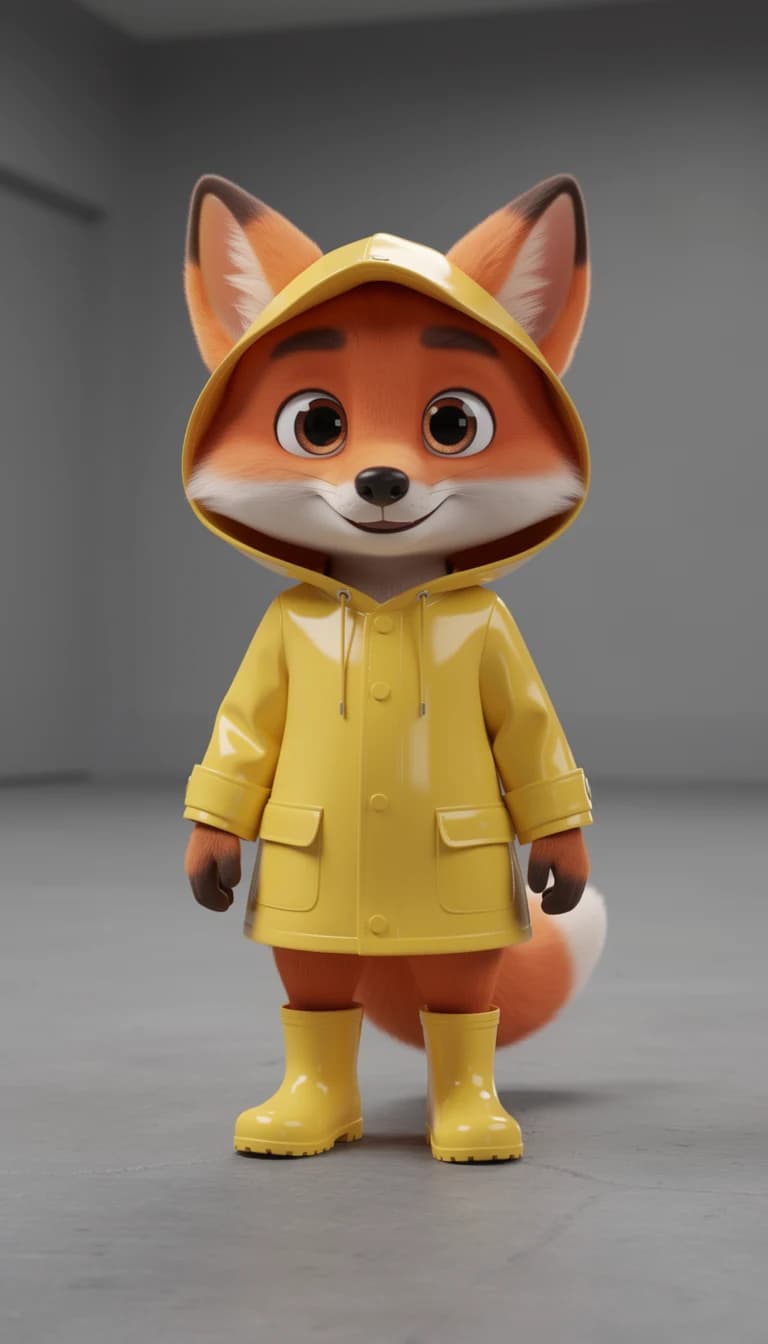
Three pieces. A 5-second video of a model walking and turning, one still of a fox in a yellow raincoat, and the clip Kling Motion Control made from them. No prompt at all.
The fox took its walk, its turn and its timing from the coat clip, and its look and its bare grey hall from the picture. The render costs 80 credits ($0.80) at today's rate. And yes, it worked on a cartoon: it's the reference video that needs a realistic person, not the character.
Kling Motion Control: Standard or Pro
Both are billed on the length of your reference video, because that's how long the result runs. Pro costs more and earns it on fast or complicated movement, where a character can start to come apart.
| Model | 10 seconds | 30 seconds | Pick it for |
|---|---|---|---|
| Kling Motion Control | $1.60 | $4.60 | Takes the movement out of one video and puts your character in it |
| Kling Motion Control Pro | $2.10 | $6.10 | Holds the character together through fast or complicated movement |
Motion transfer rules that decide whether it works
Most failed motion transfers fail on the input. These limits come from the Kling Motion Control API documentation, and Kuaishou has a walkthrough of its own if you want more detail.
| Reference video | 3 to 30 seconds, up to 100 MB, each side between 340 and 3850 pixels |
|---|---|
| Who's in it | A realistic character with the whole body, or upper body and head, in view and unobstructed |
| Character picture | Up to 10 MB, clear body proportions, nothing in the way, filling more than 5% of the image |
| Orientation: match the video | Better for complicated movement, up to 30 seconds |
| Orientation: match the picture | Better for following camera movement, up to 10 seconds |
| Sound | The reference video's sound is kept by default, and you can switch it off |
AI dance videos, and other uses
An AI dance video is the obvious one: film yourself or find a routine, then give it to a character. A single clear dancer who stays in frame gives the model far less to lose than a crowded stage.
Character acting. Perform the scene yourself on a phone. You get the timing and gestures you meant, which a text prompt rarely delivers. Pair it with AI lip sync if the character has to talk.
One move, many characters. The same reference works on any picture, so a brand mascot and a recurring character can share a performance.
Only use footage you have the right to use, and don't put a real person's likeness in a video without their permission.
How to use AI motion control
A prompt is optional here. The two inputs do most of the work.
- 1. Pick the movement. Open Motion Control in the video menu and choose a Kling Motion Control model. Add a video of 3 to 30 seconds with one person clearly in view, head included.
- 2. Pick the character. Add one picture of who should do the moving. Clear body proportions and nothing in the way.
- 3. Choose which way they face. Match the video for full-body movement, up to 30 seconds, or match the picture for camera-led shots, up to 10. Check the price and render.
Want to keep your footage and change how it looks instead? That's video to video AI, the other half of the Motion Control menu.
AI motion control FAQ
What is AI motion control?
AI motion control takes the movement out of one video and applies it to a character from a picture. The person in the video sets the performance, and your picture decides who appears in the result, along with the background and other elements.
Is motion control the same as motion transfer?
Yes. Motion transfer is the general name for the technique, and Kling Motion Control is the name of Kuaishou's version of it. People search for both, and they mean the same job.
How long can a motion control video be?
Up to 30 seconds when the character's orientation matches the video, and up to 10 when it matches the picture. The reference has to run at least 3 seconds. The result is as long as the reference, and that's what you pay for.
Can it replace the character in a video?
That's exactly what it does. Whoever is in the reference video is only there to move, and your character takes their place. The background comes from your picture too, so you don't keep the original location.
Why does Kling say no valid characters?
The most likely cause is that it couldn't find a person it can follow. Kling's reference video should show a realistic character with the whole body, or the upper body and head, in view and unobstructed. Try a clearer reference with one person, and check that the character fills more than 5% of your picture.
Is AI motion control free?
Not on Leaxor. There's no free tier and no free credits. 10 seconds on Kling Motion Control costs $1.60, and the price shows before you render.
More video jobs
Their moves, your character
Give your character some moves.
10 seconds starts at $1.60. Credits are pay-as-you-go, and no subscription is required.
Move your character