Image and video generation MCP for Claude and ChatGPT.
Leaxor is an all-in-one AI image and video generator, and its MCP server puts both inside Claude, ChatGPT, Claude Code and Cursor: an image generation MCP and a video generation MCP behind one URL. Sign in and ask. The assistant picks from 46 image and 24 video models, billed to your Leaxor credits.
https://leaxor.com/api/mcpUpdated 12 November 2026
How the image and video generation MCP works
Three steps, once. After that you just ask, and every render also lands in your Leaxor library.
Add the URL
Connector URL
Paste it as a custom connector in Claude, ChatGPT, Claude Code or Cursor.
Sign in and allow
Allow your assistant?
Make images and clips on your credits
Returns you to claude.ai
One consent screen: the app's name, your balance, and where it sends you back.
Ask for anything

The assistant picks a model, runs it on Leaxor and shows you the result.
What is MCP in AI?
MCP, short for Model Context Protocol, is an open standard that lets an AI assistant use tools and data that live outside the model. Anthropic released it in November 2024, and in December 2025 donated it to the Agentic AI Foundation, part of the Linux Foundation. Claude, ChatGPT, Cursor and many other apps support it now.
The practical meaning of MCP in AI: it's one plug shape. Any app that supports the protocol can use any server built for it, with no custom integration for each pair. That's why a single Leaxor URL works in four different apps.
What is an MCP server in AI?
It's the program on the other side of the plug. It tells the assistant which tools it has, what each one does and what inputs it takes, then runs a tool when the assistant calls it and sends back the result.
Some run on your own computer and talk to the app directly. Remote ones, like Leaxor's, sit at a web address, use Streamable HTTP and ask you to sign in. Leaxor's AI MCP server has seven tools. Two of them create something (an image or a clip), and the rest look things up.
Claude MCP: connectors and claude mcp add
Anthropic created the protocol, so Claude got it first. On claude.ai and the Claude desktop app, a remote server is called a connector, and you add one under Settings → Connectors. In Claude Code you add it with claude mcp add, then type /mcp to see what's connected and sign in.
Both use the same Leaxor server, and the exact steps for each are in the setup section.
MCP in agentic AI
Agentic AI is a model working through a task in steps by itself. It makes a plan, calls a tool, reads what comes back, then picks the next step. MCP is the usual way an agent gets its tools.
A Leaxor clip shows the loop well. The agent calls generate_clip and gets an id back, then keeps calling get_clip until the video is ready, and you don't have to step in. If you're building your own agent, use an SDK whose MCP client supports remote servers over Streamable HTTP and OAuth sign-in, and point it at the same URL.
MCP vs A2A
The two are easy to mix up. A2A (Agent2Agent) is a protocol Google announced in April 2025 that lets one AI agent hand work to another agent. The Model Context Protocol connects an agent to tools and data. They're designed to be used together, and many agent frameworks support both.
Leaxor is a tool: it makes images and video clips when an agent asks. So it speaks MCP, and A2A doesn't apply here.
An image MCP and a video MCP on one server
An AI video generator MCP only does half the job if your thumbnails still come from somewhere else. You don't need one image MCP server for pictures and a second video MCP server for clips: Leaxor is one AI video MCP and image server behind one URL, one sign-in and one credit balance.
MCP image generation
As an MCP server for image generation, Leaxor takes a prompt, a model, a style and an aspect ratio, plus up to four reference images on models that edit photos. Most images come straight back in the reply.
Slower models sit on a queue, so this image generation MCP server hands back an id and the assistant checks on it. As an AI image generation MCP it suits thumbnails, product shots and page art, at 10–30 credits an image. The same models run in the AI image generator.
MCP video generation
As an MCP server for video generation, Leaxor starts a clip from a prompt, a start image, a pair of frames or a set of reference images.
Renders take one to five minutes, so this video generation MCP server returns an id right away and the assistant polls until the clip lands. As an AI video generation MCP it reaches 24 models, clips start at 10 credits, and a failed render refunds itself. You can also start from a photo in the image-to-video generator.
How to add the MCP server to Claude, ChatGPT, Claude Code and Cursor
It takes about two minutes, and you need a Leaxor account with some credits on it. Sign-in uses OAuth, the same authorization flow the MCP spec defines, so you never paste a password or an API key into the assistant.
Claude (web and desktop)
- Open Settings → Connectors and choose Add custom connector.
- Name it Leaxor, paste the URL above, and click Add.
- Click Connect. Sign in to Leaxor and press Allow.
Anthropic's own walkthrough: getting started with custom connectors.
ChatGPT
- Settings → Apps → Advanced settings, then switch on Developer mode.
- Click Create app, name it Leaxor, paste the URL above, and pick OAuth.
- Sign in to Leaxor, press Allow, then turn Leaxor on in the chat's tools menu.
Developer mode needs a paid ChatGPT plan, and ChatGPT may only call the tools when you mention Leaxor in the message.
Claude Code
- Run the command below in a terminal.
- Start Claude Code, type /mcp, choose leaxor and sign in.
claude mcp add --transport http leaxor https://leaxor.com/api/mcpMore on remote servers in the Claude Code MCP docs.
Cursor
- Add this to ~/.cursor/mcp.json (or merge it into the file you have).
- Open Cursor Settings → MCP and click Connect next to leaxor.
{ "mcpServers": { "leaxor": { "url": "https://leaxor.com/api/mcp" } } }Image and video generation in Claude, Claude Code, Cursor and ChatGPT
The server is the same everywhere. What changes is how you add it and what you tend to ask for, so here is what each app is good at.
Claude image generation and Claude video generation
Does Claude make videos by itself? No. As of November 2026 there's no Claude image generation model or Claude video generation model to switch on. Can Claude make videos with a connector? Yes: add Leaxor once and you have a Claude image generation tool and a Claude video generation tool in one place.
How to generate images in Claude: add the connector, then describe the picture. How to create images in Claude at a set shape or on a set model: say so in the same message, such as “16:9, on Nano Banana Pro”. A good habit: let Claude create images first, then let Claude create video from the one you like, so you only pay for a clip once the frame is right.
How to generate video with Claude: ask for a clip, give it a length, and let it check on the render. How to make video with Claude from a photo: paste an https link to the picture, and have Claude generate video from an image you already own.
It's one Claude image generation connector and Claude video generation connector, so a single video MCP connector for Claude gets you both. That makes it an image generation MCP for Claude and a video generation MCP for Claude under one sign-in, which is the whole idea of a Claude image generation MCP that also handles clips.
Claude Code image generation and video generation
Claude Code image generation earns its place when the work is already in your repo: hero images, icons, placeholder art, product shots for a landing page. With Claude Code, MCP image generation stays inside the task you're already doing.
How to generate images in Claude Code: add the server with the one-line command in the setup steps, type /mcp to sign in, then ask for the asset in your normal prompt. You get a URL back. As a Claude Code image generation tool it needs no API key in your project, because sign-in lives with the client.
Claude Code video generation works the same way, with the extra wait. How to make video with Claude Code: ask for the clip, and it polls until the render is done. So this image generation MCP for Claude Code doubles as a Claude Code AI video generator, and one Claude Code image generation MCP entry covers both.
Cursor image generation
Cursor image generation through Leaxor means one entry in ~/.cursor/mcp.json and a request in chat. As a Cursor image generation MCP it also makes video clips.
Cursor image generation models: all 46 are available, so you can pick by price or by what the asset needs. Cursor image generation cost: each image is billed to your Leaxor credits at 10–30 credits, separately from your Cursor plan.
As a Cursor image generation tool it works best when you say where the asset is going. For Cursor image creation, “a 3:2 hero for this page, dark background” beats “make an image”.
ChatGPT video generation app
Added in developer mode, Leaxor works as a ChatGPT video generation app: ask for a clip, name a model if you care which, and the result comes back in the chat.
It's a custom app you add yourself rather than a listing in ChatGPT's directory, so this ChatGPT AI video generator app needs a paid ChatGPT plan for developer mode. It uses the same Leaxor credits as everything else on this page.
The image generation and video generation tools your assistant gets
7 tools. The two that make something cost credits at the same price as the image generator and the video generator in the dashboard. The rest are free to call.
| Tool | What it does | Costs |
|---|---|---|
get_balance | Check credit balance | Free |
list_models | List models and prices | Free |
generate_image | Generate an image | 10–30 credits |
get_image | Check an image | Free |
generate_clip | Generate a video clip | from 10 credits |
get_clip | Check a clip | Free |
list_recent | List recent work | Free |
Things to ask it
Examples of the kind of request that works, not transcripts of recorded runs.
- “Make three 16:9 thumbnail options for a video called "I lived on $5 a day". Use the cheapest model.”
- “Turn this product photo into a five-second 9:16 clip, slow push-in: https://…”
- “Which video models can do a start and end frame, and what does eight seconds cost on each?”
- “Write a six-shot storyboard for a coffee ad, then generate the first shot as an image so I can check the look.”
Flux, Nano Banana, Kling, Veo and Seedance through one MCP
You don't need a separate Kling MCP, Veo MCP, Flux MCP or Nano Banana MCP, or an API key for each lab. One server reaches all 46 image and 24 video models. These are the ones people ask for most; the full model list has the rest, and the assistant can pull every price with list_models.
| Model | Lab | Makes | From |
|---|---|---|---|
| Flux 2 Pro | Black Forest Labs | Images | 10 credits |
| Nano Banana Pro | Images | 20 credits | |
| GPT Image 2.5 | OpenAI | Images | 30 credits |
| Ideogram v4.5 | Ideogram | Images | 10 credits |
| Seedream 5.0 Pro | ByteDance | Images | 10 credits |
| Flux 3 | Black Forest Labs | Images | 10 credits |
| Kling v3 | Kuaishou | Video clips | 40 credits |
| Kling v3 Pro | Kuaishou | Video clips | 50 credits |
| Kling O3 Pro | Kuaishou | Video clips | 50 credits |
| Kling 4.0 | Kuaishou | Video clips | 100 credits |
| Veo 3.1 Fast | Video clips | 50 credits | |
| Veo 3.1 | Video clips | 100 credits | |
| Seedance 2.5 | ByteDance | Video clips | 140 credits |
Kling MCP
Looking for a Kling MCP? Leaxor runs 5 Kling models from Kuaishou, from 40 credits a clip, and Kling v3 is the default, so a plain request lands here. It's a Kling AI MCP connector for Claude and ChatGPT that needs no Kling account.
Veo MCP
This Veo MCP server reaches 3 Google models from 20 credits a clip. The Veo 3.1 MCP server route works as a Veo MCP in Claude or Cursor with a Leaxor sign-in rather than a Google Cloud project, so there's no billing setup on Google's side.
Seedance MCP
A Seedance MCP server for 2 ByteDance models, from 10 credits. Use it as a Seedance MCP in Claude or Cursor and ask for Seedance 2.5 by name, but have the assistant quote the price first: it starts at 140 credits, among the dearest on the shelf.
Wan MCP
The Wan MCP route covers 3 Alibaba models, from 30 credits a clip. If you want an affordable Wan AI MCP for testing an idea before a flagship render, start here.
Flux MCP
This Flux MCP server covers 9 Black Forest Labs image models from 10 credits. Flux 2 Pro is the default, so you get a Flux AI MCP in Claude without asking for one, and without a Black Forest Labs key.
Nano Banana MCP
A Nano Banana MCP server for 5 Google image models, from 10 credits, in Claude, Claude Code or Cursor. If you searched for a Gemini image MCP or a Gemini image generation MCP, these are the models you meant.
GPT Image MCP
A GPT Image MCP for 3 OpenAI models, from 30 credits. That puts a GPT image generation MCP inside Claude or Cursor, and it's the OpenAI image generation MCP route if you'd rather not manage an OpenAI key. GPT Image 2 is on the shelf, so it also serves as a GPT Image 2 MCP server for Claude.
Leaxor vs the Higgsfield AI MCP, fal MCP and Replicate MCP
Want the best image generation MCP for Claude? We built Leaxor, so read this with that in mind. The table was checked in November 2026 against each company's own docs, and these products change fast.
| Server | Sign-in | What you need | Reach |
|---|---|---|---|
| Leaxor | Browser sign-in (OAuth) | A Leaxor account with credits, no subscription required | 46 image and 24 video models |
| Higgsfield MCP | Higgsfield sign-in | A Higgsfield account. Connector generations use credits; Unlimited applies in its web app only | Higgsfield's catalogue |
| fal MCP | Browser sign-in (OAuth) | A fal account | fal's catalogue, 1,000+ models |
| Replicate MCP | Replicate API token | A Replicate account and token | Replicate's catalogue |
fal wins on breadth, and if you're a developer who wants every model going, its MCP server docs are worth a look. The Replicate MCPsuits the same crowd, with a token to manage. Leaxor is the shorter shelf: models we've priced and put on sale, one balance, and the same work showing up in your dashboard.
Higgsfield MCP pricing runs on Higgsfield credits; its own guidesays Unlimited access doesn't carry over to chat generations. Compare that with Leaxor's credit prices before you pick.
Two things Leaxor isn't: a Midjourney MCP or a Runway MCP. We don't sell either lab's models, so if you need those exact looks, this won't get you there.
Hoping for a free video generation MCP? Open-source servers are free to install, but video models bill per render somewhere, so a free AI video generator MCP usually means you bring a paid provider key. Leaxor has no free tier either: a free MCP for video generation isn't what this is, though you do only pay for what you render.
Made from a chat
The chat above is a re-enactment, played with real Leaxor renders. Each clip started as a Flux 2 Pro still and was animated on Kling v3 Pro. Under each is the ask from the demo, and what those two calls cost today.
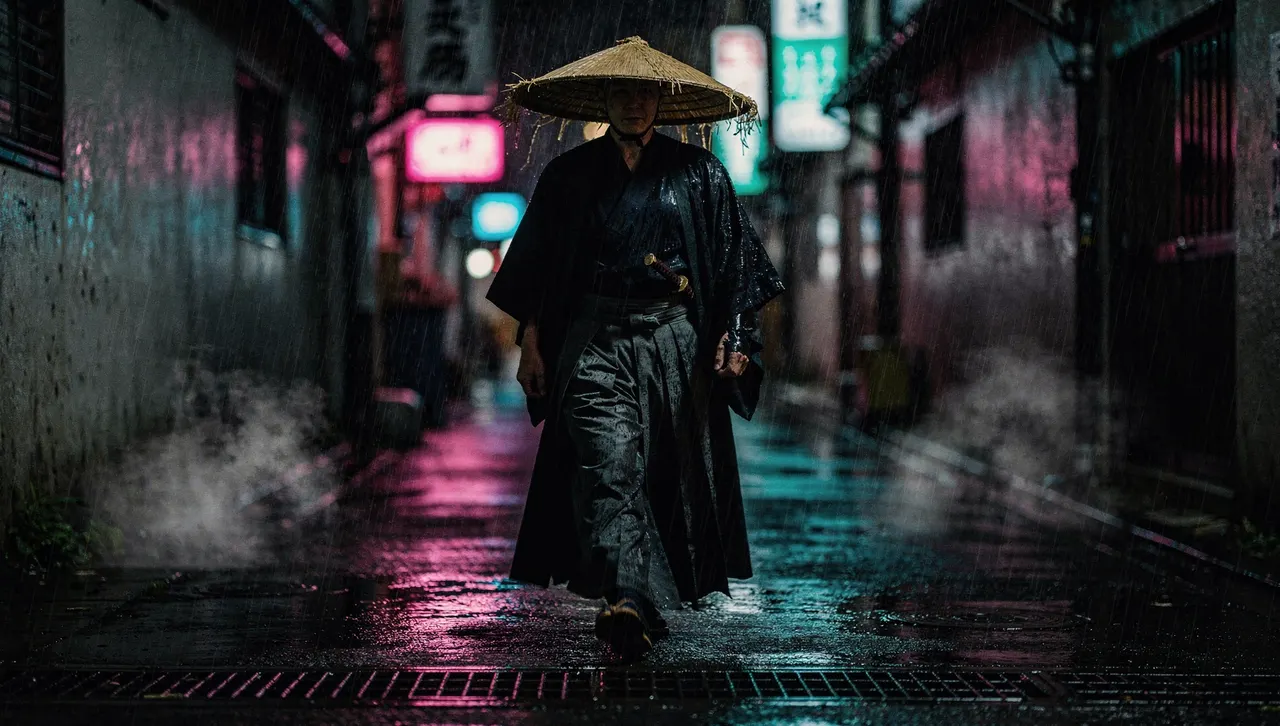
“Make a 5-second cinematic clip: a lone samurai walking toward camera through neon rain in a Tokyo alley.”
Flux 2 Pro still, animated on Kling v3 Pro · 80 credits
“Yes, animate it. Waves crashing, the beam sweeping through the mist.”
Flux 2 Pro still, animated on Kling v3 Pro · 80 credits
“Product ad: an amber perfume bottle on wet black stone, one shaft of golden light, slow orbit.”
Flux 2 Pro still, animated on Kling v3 Pro · 80 credits
What it costs, and what stays in the dashboard
Nothing extra. A Flux 2 Pro image from Claude costs the same 10 credits it does in the dashboard, and a clip is priced by model and length exactly as it is there. Credits are sold at 100 for $1, with no subscription required. If a model fails, the credits go back on their own.
The chat gets text-to-video, image-to-video, start-and-end frames and reference images. Lip sync, motion control, extend and reframe work from files you upload, so they stay in the dashboard, along with Director and finished videos.
Clips take a few minutes, so the assistant starts one, gets an id back and checks on it. Images on most models come straight back in the reply.
Before you press Allow
The consent screen shows the app's name, your balance and the address it sends you back to. Anyone can name an app “Claude”, so check that address: claude.ai, chatgpt.com, or localhost for a desktop tool.
Access tokens last an hour and renew quietly for up to 30 days. Only allow apps you added yourself.
See credit pricesFrequently asked questions
What does MCP stand for in AI?
Model Context Protocol. It's an open standard, released by Anthropic in November 2024 and run by the Linux Foundation's Agentic AI Foundation since December 2025, that gives AI assistants one common way to use outside tools and data.
What is an MCP server in AI?
It's the program that offers tools to an AI assistant over the protocol: it lists what it can do, runs a tool when the assistant asks, and sends back the result. Leaxor's server gives Claude, ChatGPT and other MCP clients seven tools: check your balance, list models and prices, generate an image, generate a video clip, check on each, and list your recent work.
Is it safe to give an AI agent MCP access? What about prompt injection?
The assistant never sees your Leaxor password or an API key. It signs in with OAuth and holds a token that lasts an hour and renews for up to 30 days. The bigger risk with any connector like this is prompt injection, where text the agent reads, such as a web page or a file, tells it to do something you didn't ask for. The most a hijacked assistant could do here is spend your credits on renders. It can't buy credits, change your account or see payment details, and you can cut it off by removing the connector.
Can Claude generate images?
Not on its own, as of November 2026. Claude can write the prompt and draw simple graphics in code, but a photo-style picture needs an image model. Connect Leaxor and Claude can call any of 46 image models and show you the result in the conversation.
Can Claude generate videos?
Not by itself, as of November 2026, but it can with a connector. With Leaxor added, Claude can start a clip on any of 24 video models, including Kling v3, Veo 3.1, and Seedance 2.5, from a prompt or a start image, then check on it until the clip is ready.
Does it work with ChatGPT?
Yes. Add it as a custom app in developer mode (Settings → Apps → Advanced settings), paste the server URL and sign in. Developer mode needs a paid ChatGPT plan. The same Leaxor account and credits work in ChatGPT, Claude, Claude Code and Cursor.
How do I generate images in Claude Code or Cursor?
Add the Leaxor MCP server once, using the command or config in the setup steps above, and sign in. After that, ask for an image in your normal prompt, for example a hero image for the page you're building, and the assistant returns a URL you can use.
Is this image generation MCP free?
Connecting is free; generating isn't, and there's no free tier. An image costs 10–30 credits depending on the model, a clip starts at 10 credits, and $1 buys 100 credits, no subscription required. A generation that fails is refunded automatically. Open-source MCP servers on GitHub are free to install, but you run them yourself and pay each provider with your own API key.
What can the connector see and do on my account?
It can make images and clips, read your balance and list your recent work. It can't buy credits, change your account or see payment details. Every connection goes through a consent screen that shows which app is asking and where it sends you back, and you can disconnect by removing Leaxor from the app's connector settings.
Which video models can it use?
All 24 text-to-video models in the Leaxor dashboard, including Kling v3, Veo 3.1, and Seedance 2.5, plus start-and-end-frame and reference-image jobs. Lip sync, motion control, extend and reframe need uploaded files and stay in the dashboard for now.
Your assistant already writes the prompts.
Now it can render them.
Create a Leaxor account, top up once, and connect. The same credits work in the dashboard, in Claude and in ChatGPT.
Get startedPrefer clicking to chatting? Try the image-to-video generator or browse every model on the model list.